 shards.info
vim-crystal
Vim Filetype Support for Crystal

This is Vim filetype support for Crystal programming language.
crystalfiletype detection- Syntax highlight
- Indentation
- eCrystal support
- vim-matchit support
crystal toolintegration (implementations, context, formatter, and so on)crystal specintegration- Syntax check (Using Syntastic)
- Completion (currently for variable names)
Installation
Please copy autoload, ftdetect, ftplugin, indent, plugin and syntax directories into your ~/.vim (or ~/vimfiles in Windows) directory.
$ cp -R autoload ftdetect ftplugin indent plugin syntax ~/.vim/

$ # If you use vim-syntastic
$ cp -R syntax_checkers ~/.vim/
If you use Vim8, :packadd is available to install. Please see :help packages for more details.
Otherwise, please use your favorite plugin manager like vim-plug.
Syntax Highlight
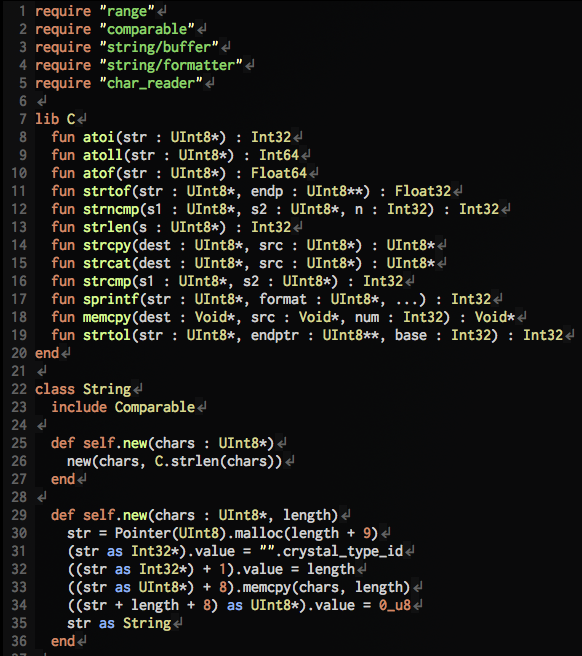
This plugin was firstly imported from Ruby's filetype plugin. There are many differences between Ruby and Crystal but vim-crystal can't support all of them yet. In addition, Crystal is growing rapidly and being added many changes. If you've found some issues or points to improve, pull requests and issues are welcome.
Spec Integration
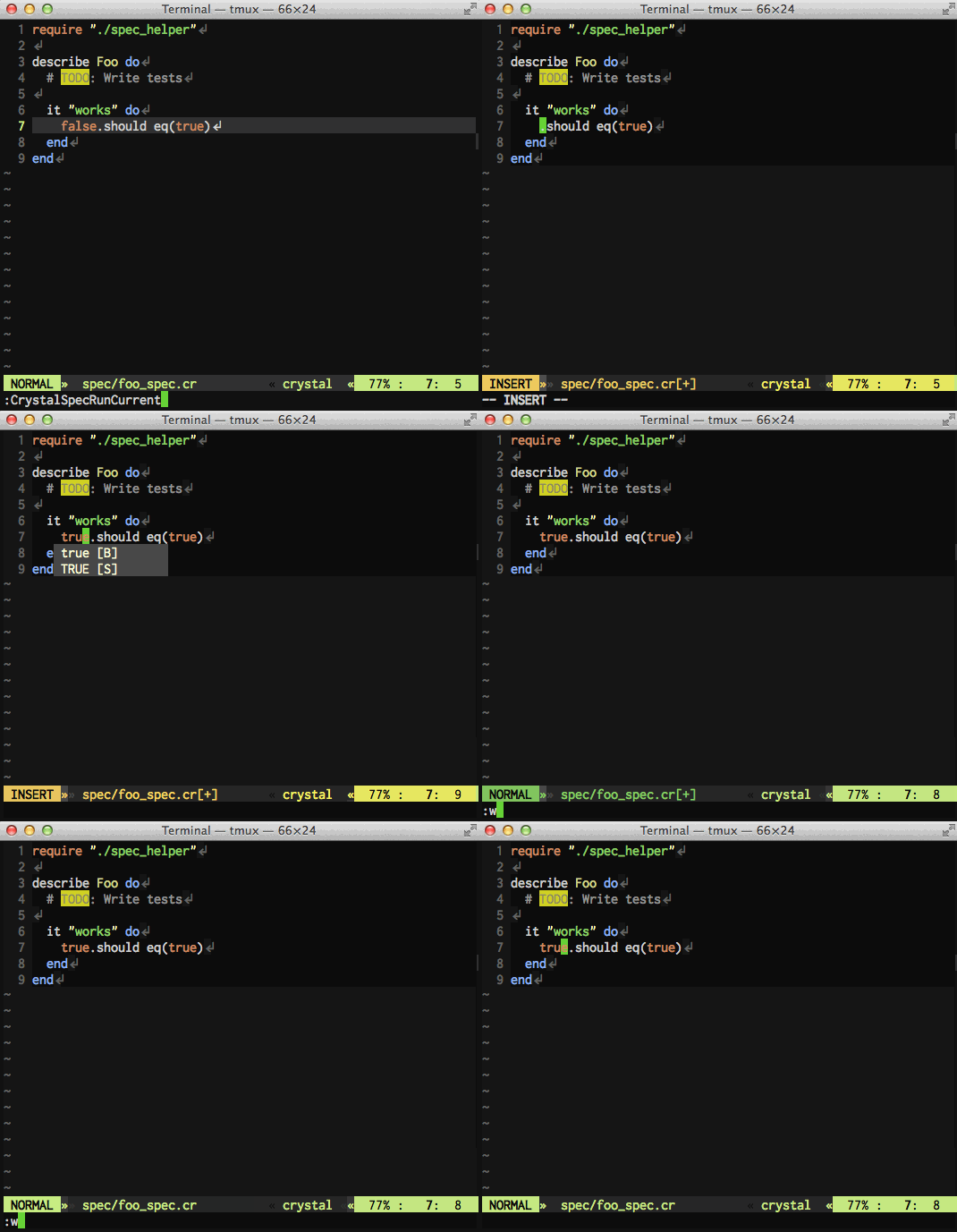
Running spec(s) and show the result in Vim. The output is colorful if possible as executed in CLI.
:CrystalSpecSwitch (mapping to gss)
It switches current source file and its spec file. This command assumes the standard directory layout which crystal init generates.
If you don't set g:crystal_define_mappings to 0, you can use this feature with mapping gss.
:CrystalSpecRunAll (mapping to gsa)
It runs the all specs for current file's project.
If you don't set g:crystal_define_mappings to 0, you can use this feature with mapping gsa.
:CrystalSpecRunCurrent (mapping to gsc)
It runs spec for current buffer.
- When current buffer is a spec source,
:CrystalSpecRunCurrentruns the spec under the cursor. You should execute this command after moving cursor toit ... doline ordescribe ... doline. - When current buffer is not a spec source,
:CrystalSpecRunCurrentfinds corresponding spec source and runs all specs in the source.
If you don't set g:crystal_define_mappings to 0, you can use this feature with mapping gsc.
Formatter Integration
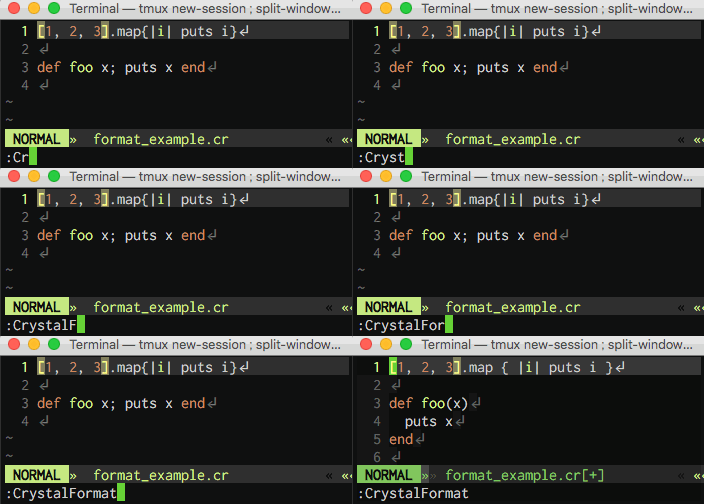
You can run formatter manually by :CrystalFormat or automatically at saving buffer.
When you set g:crystal_auto_format to 1, current buffer is automatically formatted on BufWritePre. The variable is set to 0 by default because crystal tool format currently seems buggy.
Tool Integration
:CrystalDef (mapping to gd)
It makes cursor jump to the definition of name under the cursor. This command uses crystal tool implementations.
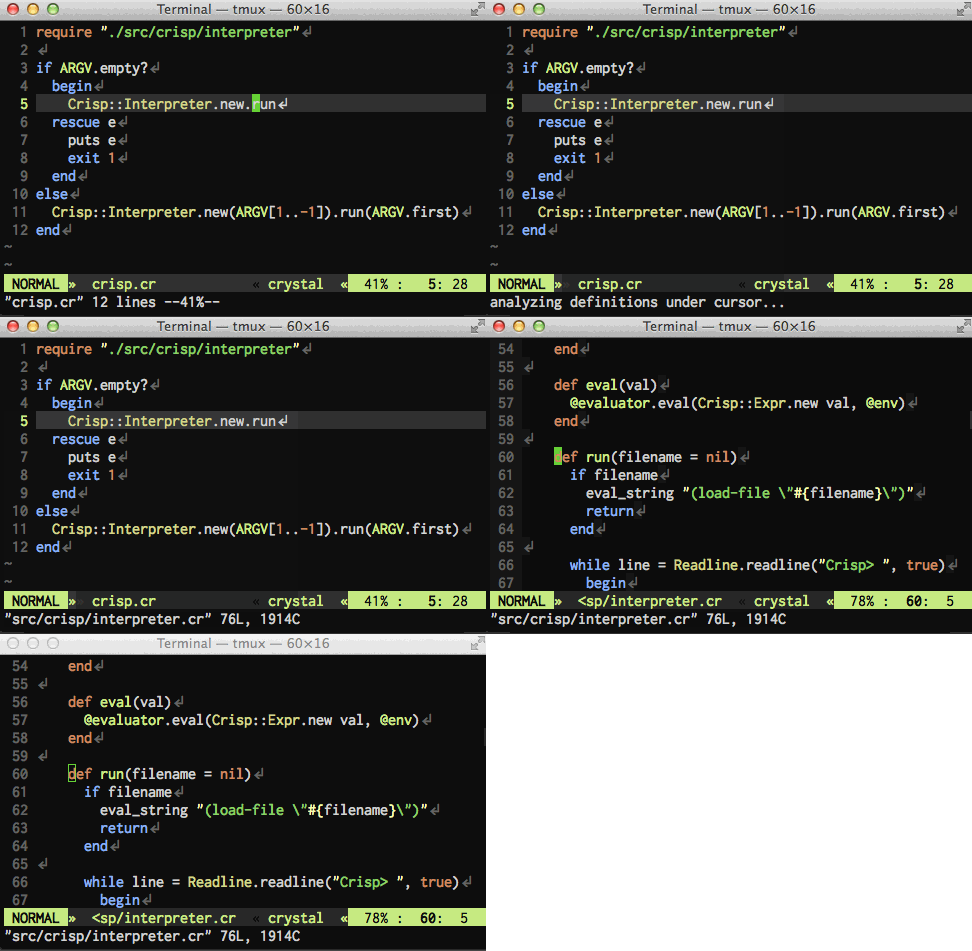
If you don't set g:crystal_define_mappings to 0, you can use this feature with mapping gd.
:CrystalContext (mapping to gc)
It shows the context under the cursor. Context includes variable names and their types.
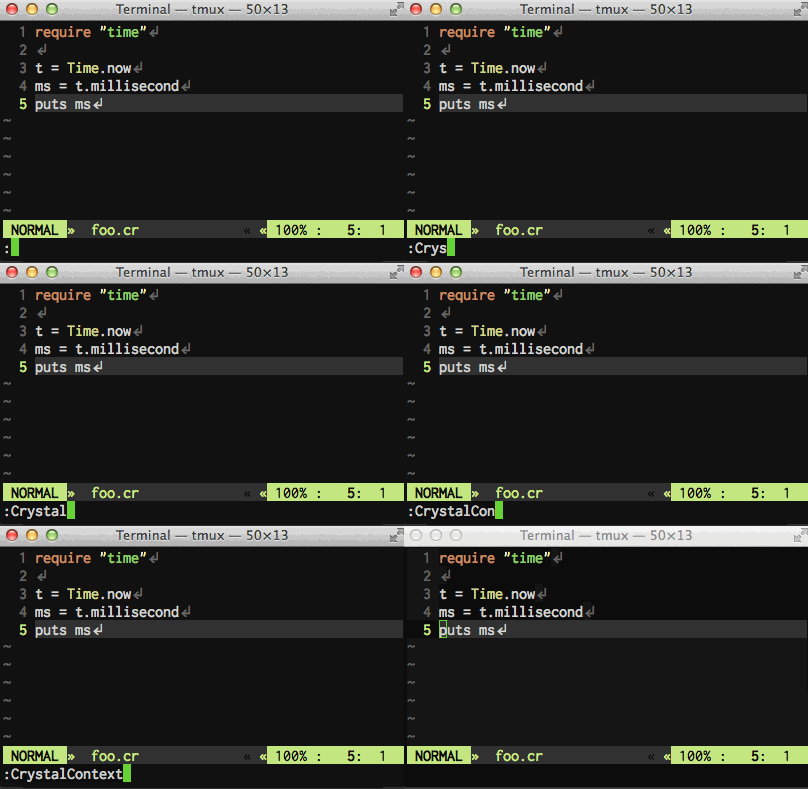
If you don't set g:crystal_define_mappings to 0, you can use this feature with mapping gc.
:CrystalHierarchy
It shows types hierarchy of current code.
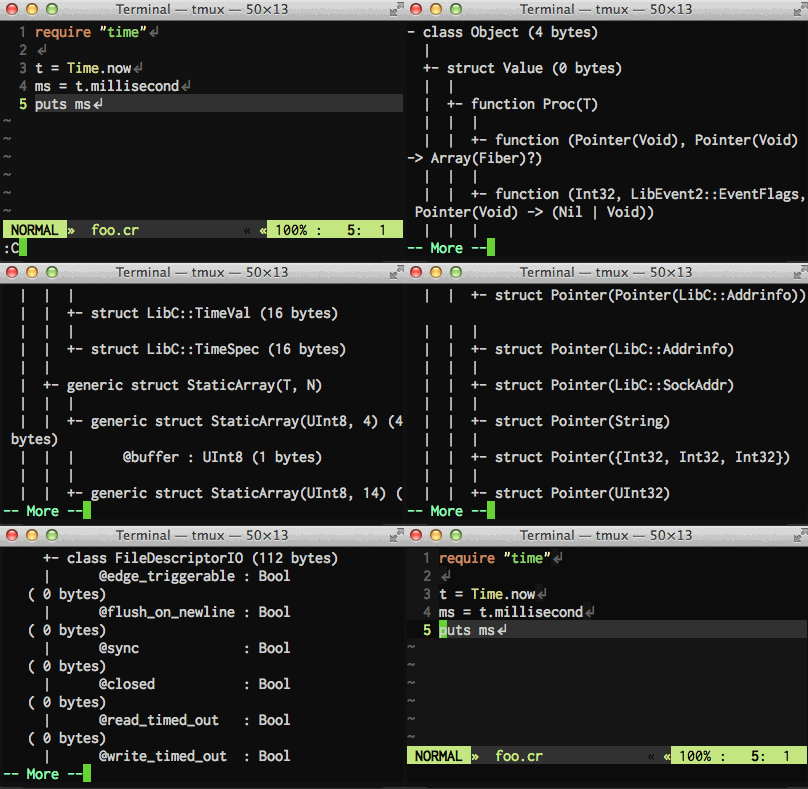
:CrystalImpl
It shows how the identifier under the cursor is implemented. For example, when the cursor is on some property of an object instance, :CrystalImpl would report where the property is defined with property macro.
:CrystalExpand
It expands macro invocation under the cursor.
Completion
Omni completion for crystal can be used by <C-x><C-o>. (Please see :help ins-completion)
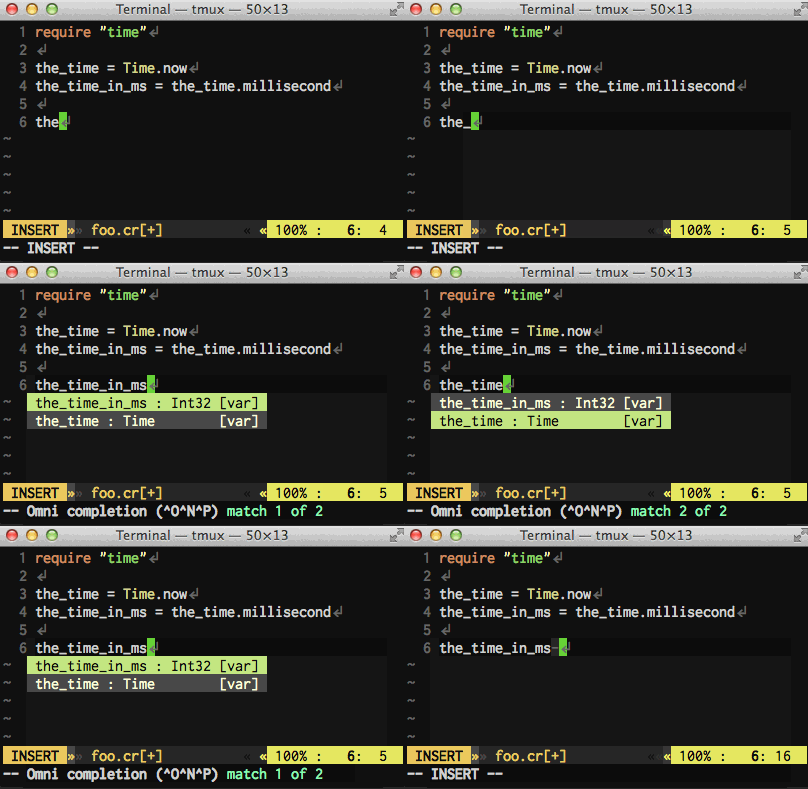
Currently you can complete only variable names. If you want more advanced completion, please consider to use a language server like crystalline.
If you want to disable this feature, set 0 to g:crystal_enable_completion.
Maintainers
- @rhysd (author, maintainer)
License
This plugin is distributed under the MIT License. Please read LICENSE.txt.
vim-crystal

- 425
- 30
- 12
- 0
- 0
- over 3 years ago
- February 17, 2014
MIT License
Tue, 27 Jan 2026 13:24:48 GMT