 shards.info
activity-weather v0.1.0
Activity Weather
Render your repository's recent activity as a weather report SVG — sunny when commits pour in, stormy when issues flood, foggy when things go quiet, a rainbow right after a release. Drop it in your README and let the sky tell the story.
- Five styles —
card,forecast,banner,terminal,minimal - Ten conditions — sunny, partly cloudy, cloudy, rainy, stormy, foggy, snowy, windy, plus rainbow (fresh release) and aurora (star surge)
- Animated — sun rays turn, rain falls, lightning flashes; CSS animations that work inside a README
<img>, honorprefers-reduced-motion, and switch off withanimated: false - Theme-aware —
automode follows the viewer's light/dark scheme; every repo gets its own seeded scenery - Zero config — works out of the box on the repository running the workflow
- Self-contained — a static Crystal binary in a prebuilt image; no runtime dependencies, no external requests from the SVG
Quick start
# .github/workflows/activity-weather.yml
name: Activity Weather

on:
  schedule:
    - cron: "17 0 * * *"
  workflow_dispatch:

# contents to push the SVG; issues + pull-requests because the activity
# fetch reads the issues listing (a `permissions:` block drops everything
# it does not name).
permissions:
  contents: write
  issues: read
  pull-requests: read

concurrency:
  group: activity-weather

jobs:
  weather:
    runs-on: ubuntu-latest
    steps:
      - uses: actions/checkout@v5
      - uses: crystal-actions/activity-weather@v0
That's it — the action fetches the last 7 days of activity, reads the weather, writes ACTIVITY_WEATHER.svg, and commits it. Then embed it:

GitHub's image proxy caches aggressively. If the image looks stale after a run, append a cache-busting query to the URL (e.g.
ACTIVITY_WEATHER.svg?v=2) or link the raw URL.
Styles
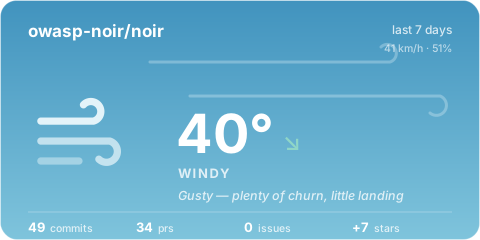
Every image below is generated from a committed config in examples/ — the YAML shown is the config that produced it.
card (default)
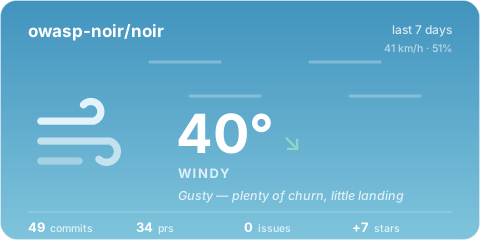
The weather-app look: big animated icon, temperature, condition, and a metrics row.
# .github/activity-weather.yml
style: card
output: ACTIVITY_WEATHER.svg
forecast
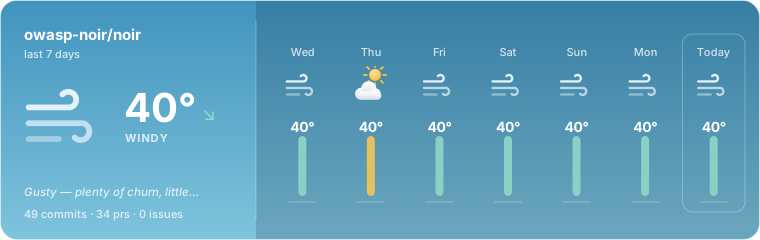
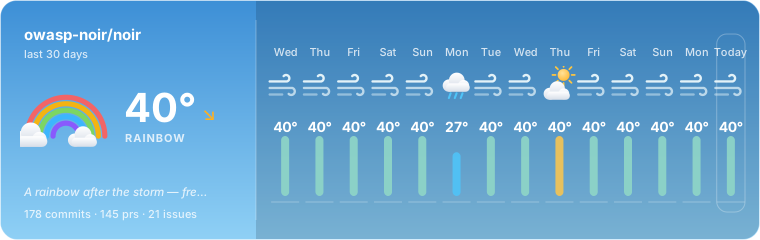
A condensed "today" panel plus one column per trailing day — mini icon, temperature, and an activity bar in that day's color.
style: forecast
forecast:
  days: 7
banner
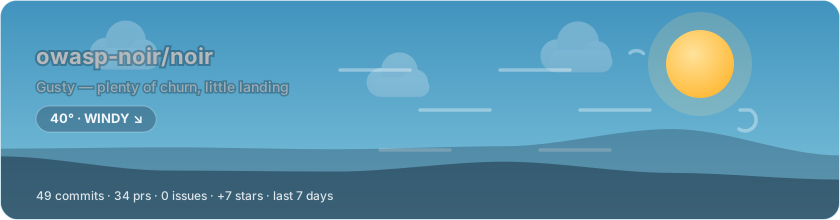
A README hero: layered sky, drifting clouds, condition precipitation, and hill silhouettes seeded from your repository name — every repo gets its own horizon.
style: banner
terminal
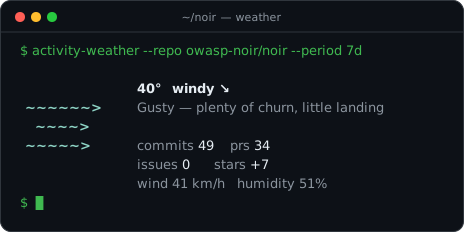
The wttr.in spirit: ASCII art per condition, phosphor-toned monospace readout, blinking prompt. Always dark, like a real terminal.
style: terminal
minimal
A 28px pill for inline use — next to a title, in a badge row.
style: minimal

Variants
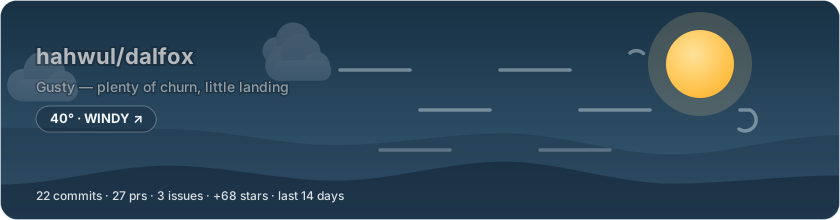
Pinned dark mode — dark.yml
For READMEs that pair light/dark images with #gh-light-mode-only / #gh-dark-mode-only links.
style: banner
theme:
  mode: dark
Monthly window — month.yml
period: 1m
style: forecast
forecast:
  days: 14
Localized phrases — korean.yml
One message per condition, with {repo} / {commits} / {authors} / {issues} / {prs} / {stars} placeholders.
messages:
  windy: "강풍 — 논의는 많고 머지는 적습니다"
  sunny: "쾌청 — 커밋 {commits}건이 쏟아집니다"
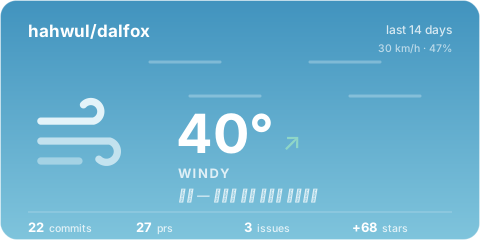
Mono theme — mono.yml
The sky desaturates; only the icon accent survives.
theme:
  preset: mono
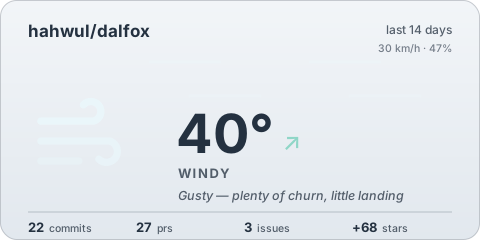
Static — static.yml
No animation: rays do not turn, rain does not fall.
animated: false
A quiet repository — quiet.yml
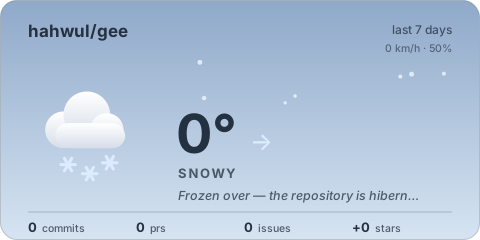
Silence is weather too: a repo with nothing landing reads as snow, a faint trickle as fog.
period: 7d # nothing else — quiet is detected, not configured
How the weather is decided
Activity over the window is scored into points (commits, PRs, issues, releases, stars, active authors — each weighted), then log-scaled into a 0–40° temperature so a steady hobby project reads warm and a monorepo saturates instead of breaking the thermometer. Wind is churn, humidity is backlog pressure (opened vs closed), and the pressure trend compares the window against the one before it.
Conditions, first match wins:
| Condition | When |
|---|---|
🌌 aurora |
Stars surging in (≥ 10/day) |
🌈 rainbow |
A release shipped into a busy week |
⛈ stormy |
Issues flooding in faster than they close |
❄️ snowy |
Nothing landed, almost nothing stirred (or the repo is archived) |
🌫 foggy |
A faint trickle of activity |
🌧 rainy |
The backlog swelling — much opened, little closed |
💨 windy |
More discussion than code |
☀️ sunny |
Hot and dry — lots landing, backlog under control |
⛅ partly_cloudy |
Comfortably active |
☁️ cloudy |
The unremarkable middle |
Every threshold is tunable — see thresholds below.
Inputs
| Input | Default | Description |
|---|---|---|
config |
.github/activity-weather.yml |
Config file path (optional — zero config works) |
token |
${{ github.token }} |
GitHub API token |
repo |
the current repository | owner/name to report on |
period |
7d |
Window: 1d–90d, also 2w, 1m |
no_commit |
false |
Generate but don't commit/push |
commit_message |
chore: update activity weather |
Commit message |
Outputs
| Output | Example | Description |
|---|---|---|
condition |
sunny |
The weather condition |
temperature |
23.5 |
Activity temperature, 0–40 |
phrase |
Clear skies — commits are pouring in |
The one-line report |
paths |
ACTIVITY_WEATHER.svg |
Comma-separated written files |
width, height |
480, 240 |
Pixel size of the first file |
changed |
true |
Whether a commit was pushed |
Configuration
All keys are optional. The full shape:
# .github/activity-weather.yml
repo: owner/name            # default: the repository running the workflow
period: 7d                  # 1d..90d; also Nw / Nm
style: card                 # card | forecast | banner | terminal | minimal
output: ACTIVITY_WEATHER.svg

# Multiple files per run — mix styles and pinned theme modes:
outputs:
  - path: docs/weather.svg
    style: banner
  - path: docs/weather-dark.svg
    style: banner
    mode: dark              # auto | light | dark
  - path: docs/badge.svg
    style: minimal

animated: true              # false = fully static SVG
title: "Weather in {repo}"  # optional heading override

forecast:
  days: 7                   # 0..14 trailing days in forecast-style renders

metrics:
  stars: true               # false skips the stargazer fetch
  releases: true            # false skips the release fetch (and rainbows)
  # Note: the default workflow token cannot read stargazers (the starring
  # API is closed to GitHub App tokens), so stars report as 0 with a
  # warning. Pass a personal access token via the `token` input to enable
  # star metrics and the aurora condition.

thresholds:                 # the decision tree's dials (defaults shown)
  sunny_temp: 25.0
  storm_issues_per_day: 3.0
  fog_points_per_day: 1.0
  rain_humidity: 70
  windy_wind: 25
  aurora_stars_per_day: 10.0
  rainbow_min_temp: 15.0

messages:                   # per-condition phrase overrides; placeholders:
  sunny: "쾌청 — 커밋 {commits}건"   # {repo} {commits} {authors} {issues} {prs} {stars}

theme:
  preset: github            # github | midnight | paper | mono
  mode: auto                # auto follows the viewer's color scheme
  # background: "#0d1117"   # page background behind the rounded card
  # text_color: "#ffffff"   # force the ink; default picks per condition
  # dark: { background: "...", text_color: "..." }
  # font_family: "Inter, sans-serif"
The condition owns the sky — each condition has its own day/dusk gradient pair — while the theme decides the chrome around it. The mono preset trades the skies for a neutral ramp.
Running locally
$ crystal build src/main.cr -o bin/activity-weather --release
$ GITHUB_TOKEN=$(gh auth token) bin/activity-weather -c examples/showcase.yml
activity-weather v0.1.0
Nothing is committed locally unless --commit is passed. just render runs the published container the way the action would.
Versioning
Pin the action to a release tag; the log's first line names the build:
activity-weather v0.1.0
| Ref | Meaning |
|---|---|
@v0 |
Latest v0 release (moves with releases) |
@v0.1.0 |
Exactly this release, resolved to its own immutable image |
@main |
Latest code, floating image |
Development
$ just build   # shards install + build
$ just test    # crystal spec
$ just check   # format check + ameba + version check
$ just golden  # re-record renderer golden files
The renderer output is deterministic — seeded per repository — so the SVGs are golden-file tested byte for byte.
License
MIT — see LICENSE.
activity-weather

- 3
- 0
- 0
- 0
- 1
- about 2 hours ago
- July 28, 2026
MIT License
Sat, 24 Oct 2026 04:38:17 GMT